
Empower Your CAD Drafting with QuickBrick: Brick Coursing for Wall Sections
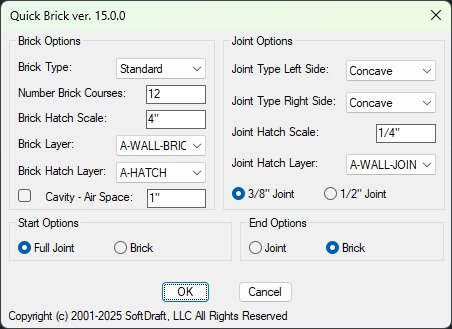
QuickBrick is a dialog-based user interface that allows you to create brick coursing with different brick types, joint selections, and wall thicknesses. You can choose from five different brick types including Standard, Engineer, Economy, Norman, and Utility. There are seven different joint types available, including None, Struck, Concave, Flush, Weathered, V-shaped, and Raked.
Feature Packed
Simple Dialog Interface
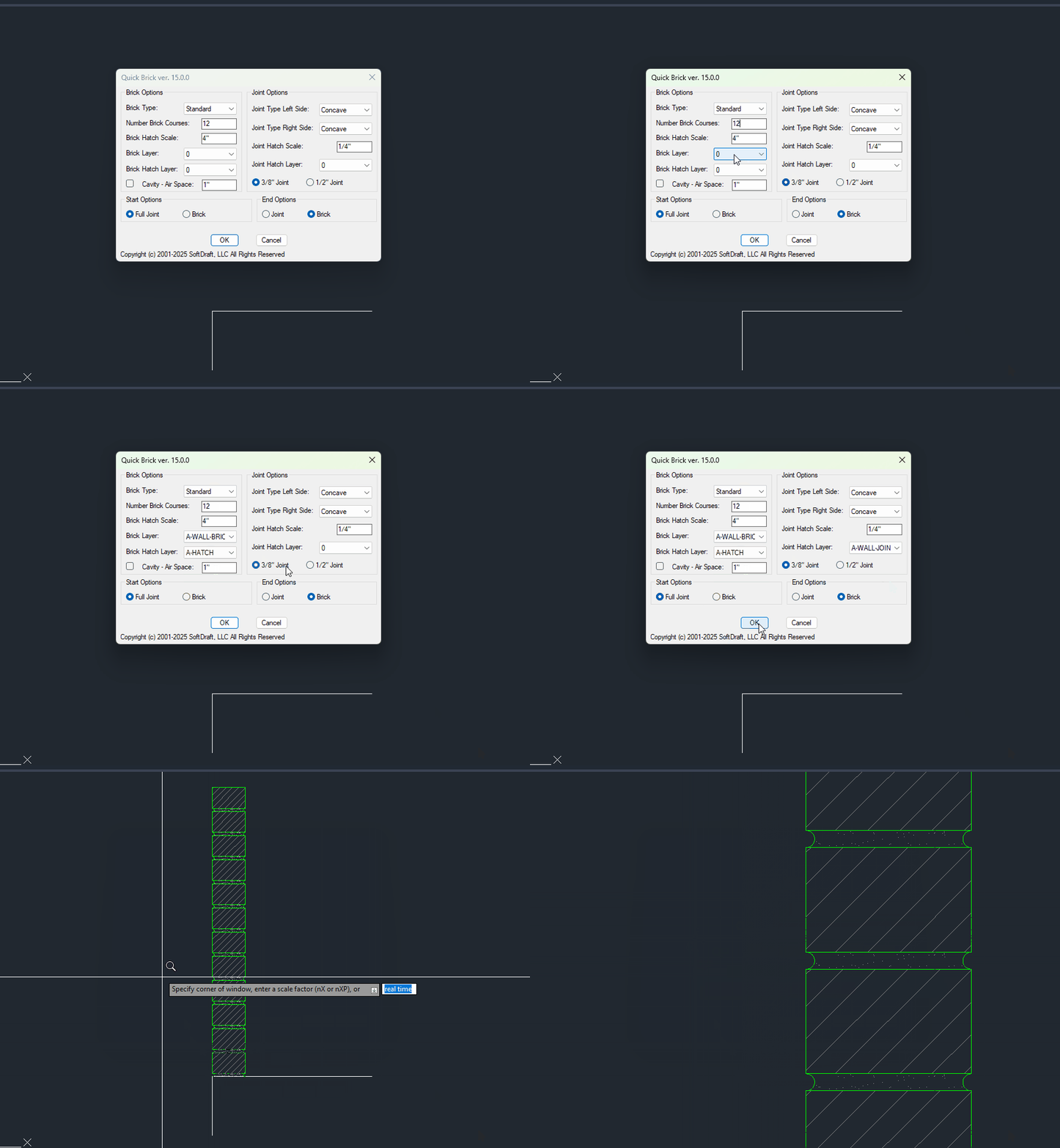
Easily select the Brick Wall Sections options in an on-screen dialog to your drawing before placement.
Easily Customizable
Save symbol configurations to easily reuse them in future drawings, share them with other users, and use them across different projects.
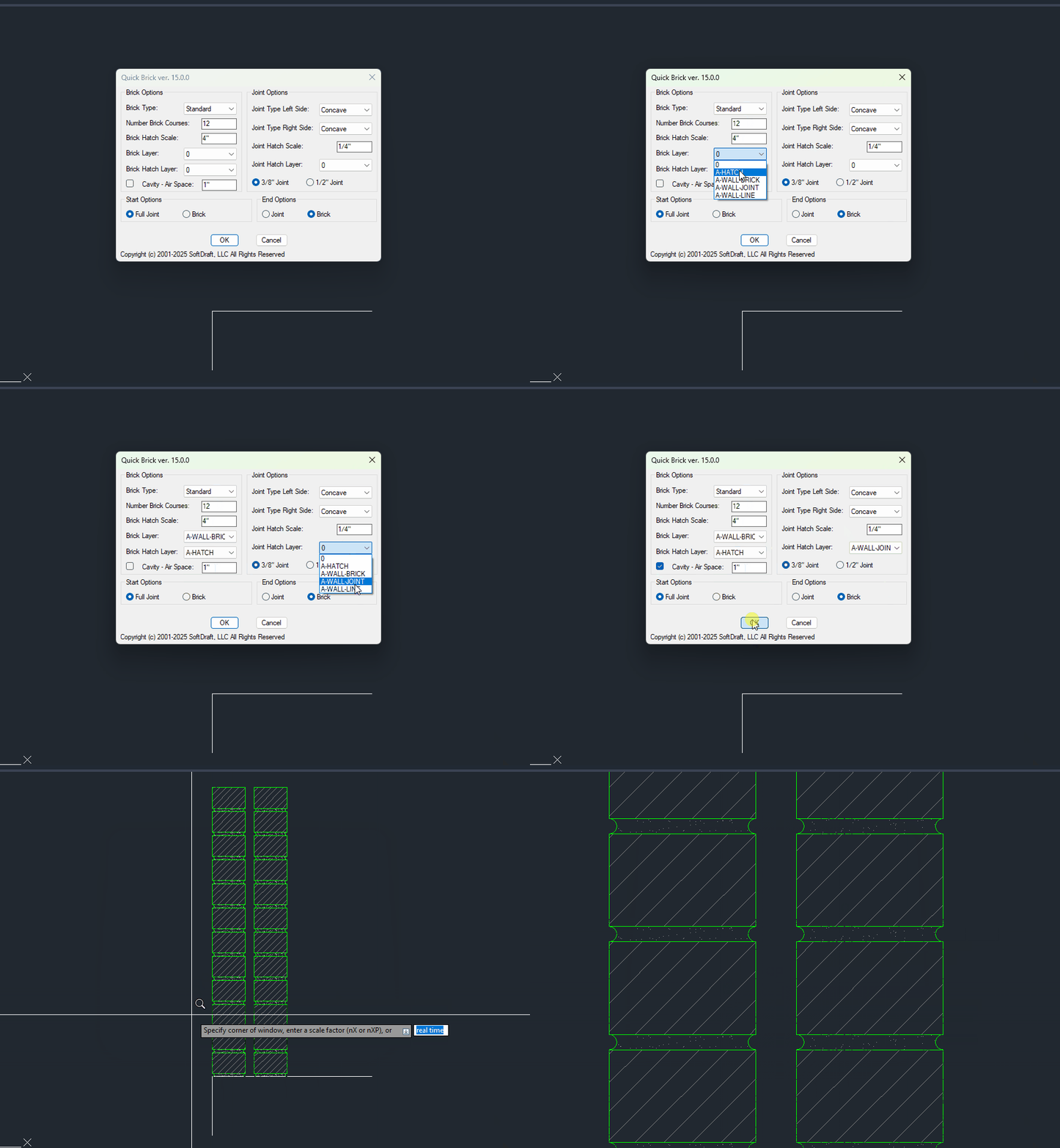
Single or Double Sections
Continuous multiple leader lines are made from a polyline.
100’s Of Combinations
Create an unlimited number of Brick Wall Sections that be saved and reused in other drawings and projects.
Increased productivity
QuickBrick App help’s you save time and effort by eliminating the need to create Brick Wall Sections manually.
Improved Accuracy
QuickBrick ensures that your Brick Wall Sections are created accurately and consistently.
Quick Brick AC AutoCAD Version
Brick End Options include Joint or Brick
Brick types include Standard, Engineer, Economy, Norman, and Utility
User Specified Air-Space Cavity
User Selected Layers for Brick, Brick Hatch, and Joint Hatch
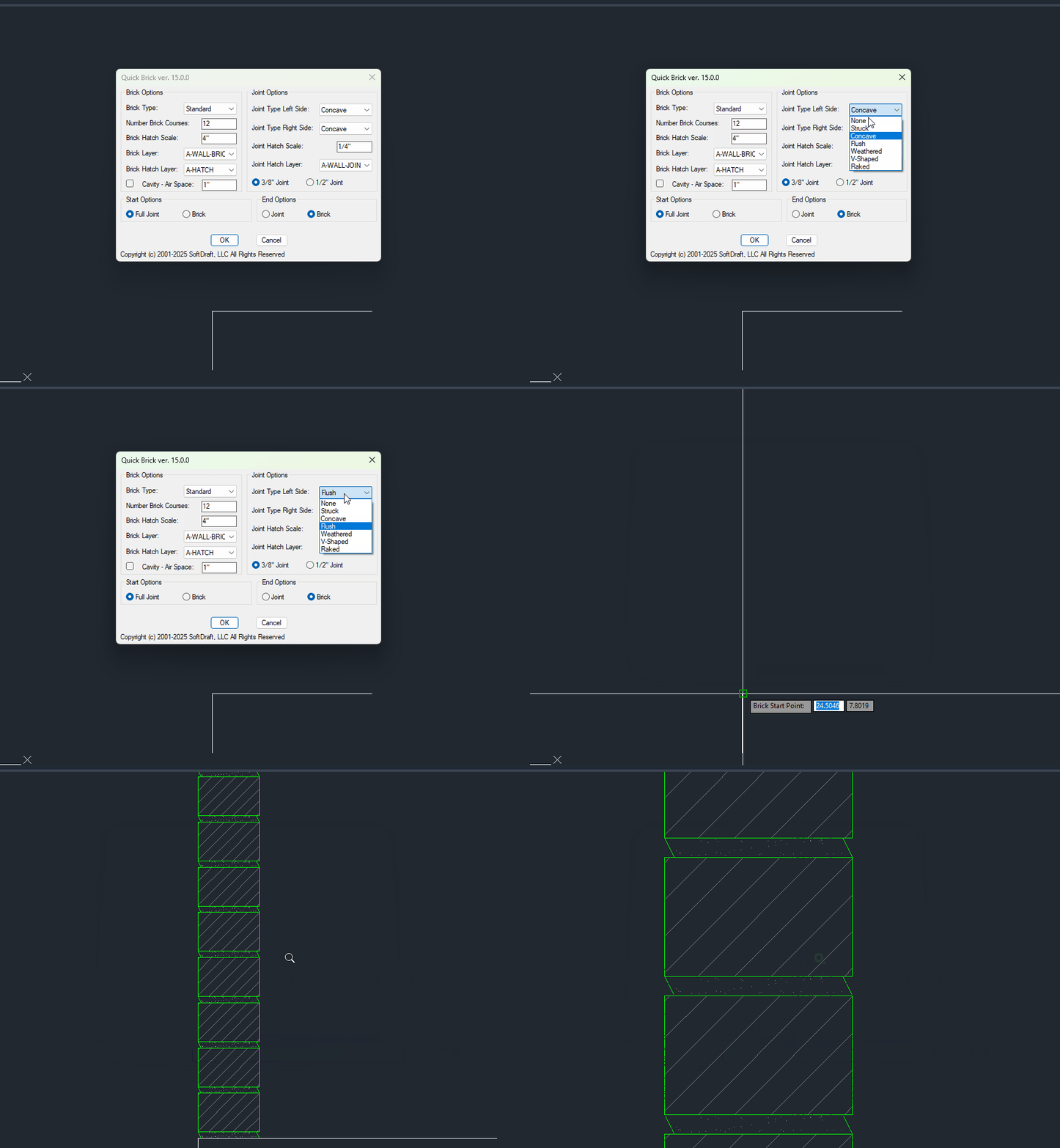
Various Joint Types Include None, Struck, Concave, Flush, Weathered, V-Shaped, and Raked
Different Joint Types may be set for the Left and Right side of the Brick
Brick Start Options include Full Joint, Half Joint, or Brick
QuickBrick LT AutoCAD LT Version
- Quick Brick 2D-LT 2024-Current Versions Only
- NOT COMPATIBLE with any of the Pre-2024 AutoCAD LT versions.
- QuickBrick LT is a software application that allows you to create brick coursing with a variety of brick types, joint selections, and wall thicknesses. The application provides a simple user interface that makes it easy to create realistic-looking brickwork.
- To use QuickBrick LT 2024, simply select the type of brick you want to use, the type of joint you want to use, and the thickness of the wall. The application will then create the brick coursing for you.
QuickBrick AutoCAD Version
QuickBrick AC is a software application that allows you to create brick coursing with a variety of brick types, joint selections, and wall thicknesses. The application provides a simple user interface that makes it easy to create realistic-looking brickwork.
To use QuickBrick AC, simply select the type of brick you want to use, the type of joint you want, and the thickness of the wall. The application will then create the brick coursing for you.
Choose Your Plan
SoftDraft QuickBrick App
9160 Highway 64 STE 12-281
Lakeland, TN 38002
Sales Phone: 901-753-6500